Your entire server fleet, connected.
Hostrix keeps every SSH server in one searchable list (IPs, users, keys, jump hosts and VPN-only networks) and opens a session in your own terminal with one click.
Every engineer knows this moment.
A text file of IPs. A note about which servers need the VPN. A long command copied from somewhere. Which IP? Which user? Which key? Is the VPN on?
Hostrix replaces all of it. Find the server, click Connect, and your terminal opens with the session ready.
See it in action
Two minutes, every feature, the real app.
Everything you need to reach a server
One-click connect
A new terminal tab opens, already logged in. Jump hosts, users, keys and ports are handled for you.
Learn moreYour whole fleet in one place
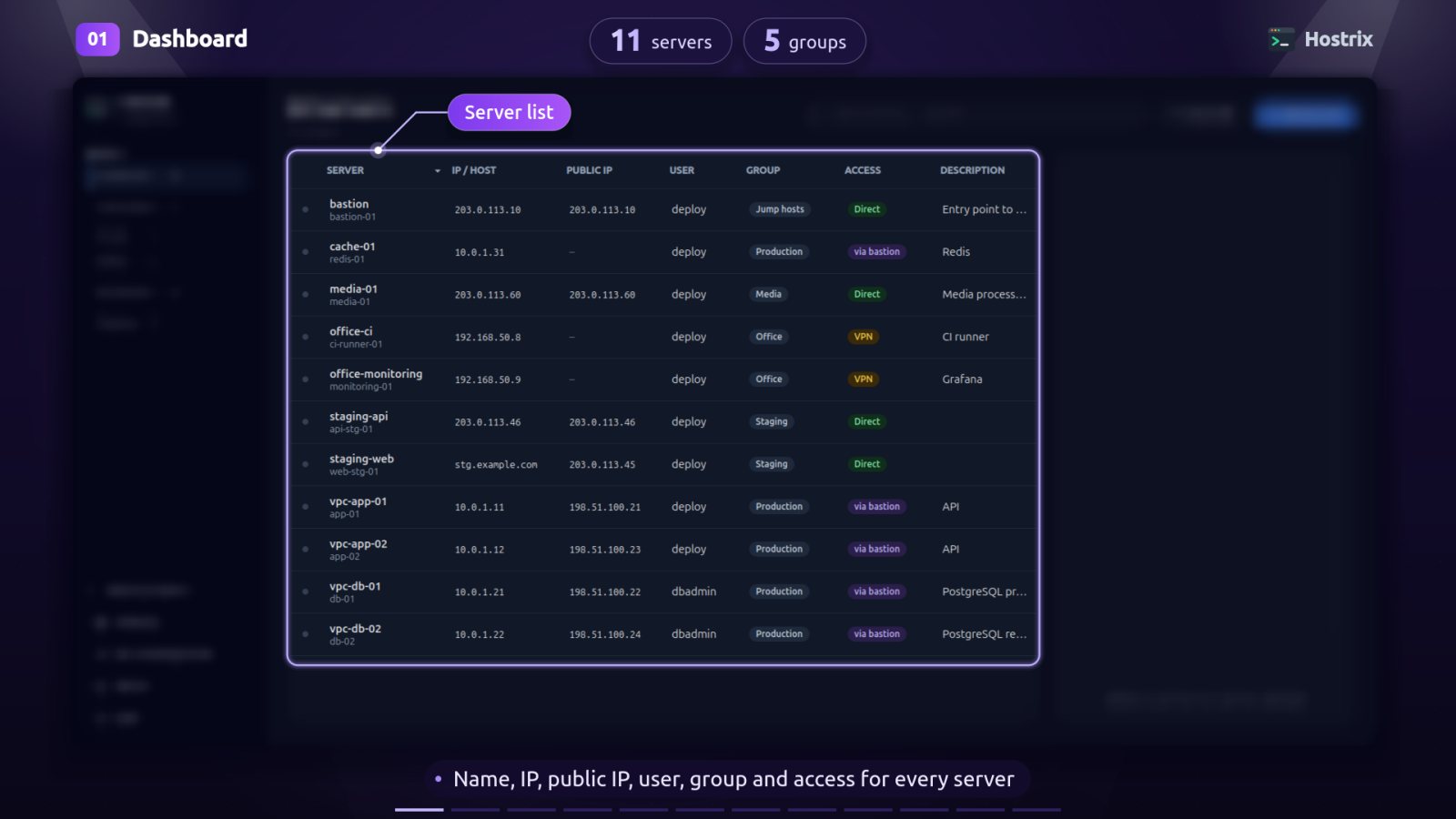
Every server with its IP, public IP, user, group and access, organised into groups.
Learn moreInstant search
Find any server by name, hostname, IP, public IP or description as you type.
Learn moreKnow what's reachable
Check every server at once, through its jump host, with a hint when the VPN is down.
Learn moreBring your ~/.ssh/config
Import it in one click. Hostrix writes one back so ssh, scp and VS Code use the same list.
Learn morePrivate by design
No account, no cloud, no telemetry. Your keys never leave your machine.
Learn moreUp and running in a minute
Add your servers
Import your ~/.ssh/config, or add a server with one form: name, address, user, key, group, jump host, VPN.
See what's reachable
Click Check all. Green is reachable, red is not, with a hint when the VPN isn't connected.
Click Connect
Your terminal opens a new tab and logs in, through the jump host if there is one. That's it.
Opens sessions in the terminal you already use
Built around your terminal, not instead of it.
Most SSH tools want to replace your terminal. Hostrix organises your servers and opens them in the terminal you already use, with the OpenSSH you already trust.
| Feature |  Hostrix | Termius | MobaXterm | PuTTY |
|---|---|---|---|---|
| Your own terminal & OpenSSH | ||||
| Writes ssh_config for other tools | ||||
| Check all, with VPN hints | ||||
| Free & open source |
Questions, answered
Is Hostrix really free?
Yes. Hostrix is free and open source under the Apache License 2.0, for personal and commercial use. There are no paid tiers, limits or accounts.
Does Hostrix store my SSH keys or passwords?
No. It stores only the path to each key and runs your system's own OpenSSH client, so authentication works exactly as it does in a terminal. It doesn't store passwords.
Does it send any data anywhere?
No. There's no telemetry, no account and no cloud. Your server list is a JSON file on your machine, and Hostrix only connects to the servers in it.
Which terminal does it open?
By default, Windows Terminal on Windows and WSL, Terminal.app on macOS, and the first terminal it finds on Linux (gnome-terminal, konsole, kitty, xterm and others). You can choose any terminal in Settings.
Can I keep using ssh, scp and VS Code?
Yes. Hostrix writes an ssh_config with all your servers. Add one Include line to ~/.ssh/config and ssh vpc-db-01, scp and VS Code Remote-SSH all use the same list.
Stop memorising IPs.
Download Hostrix and connect to any server in one click. Free for macOS, Windows and Linux.