Hostrix vs the alternatives
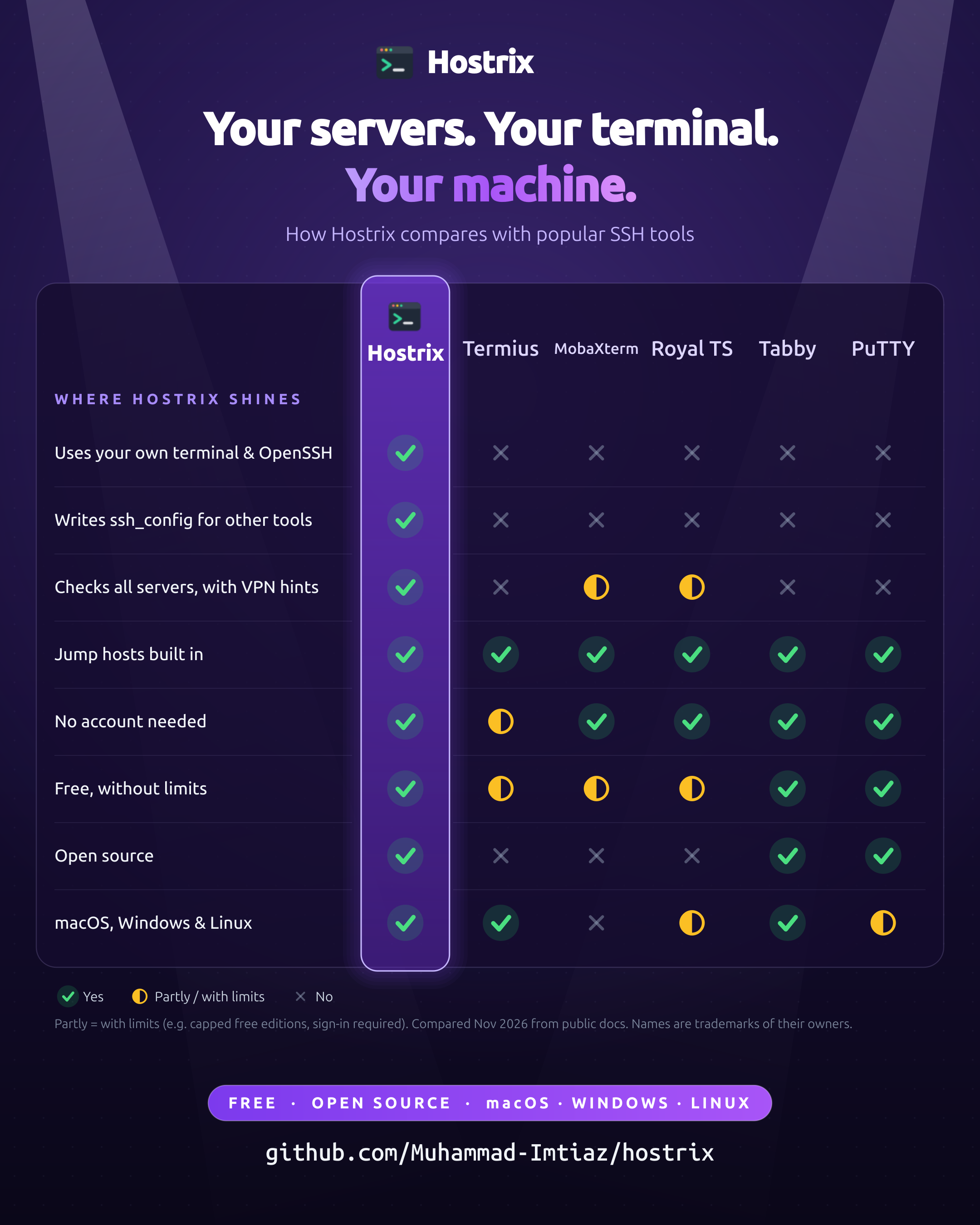
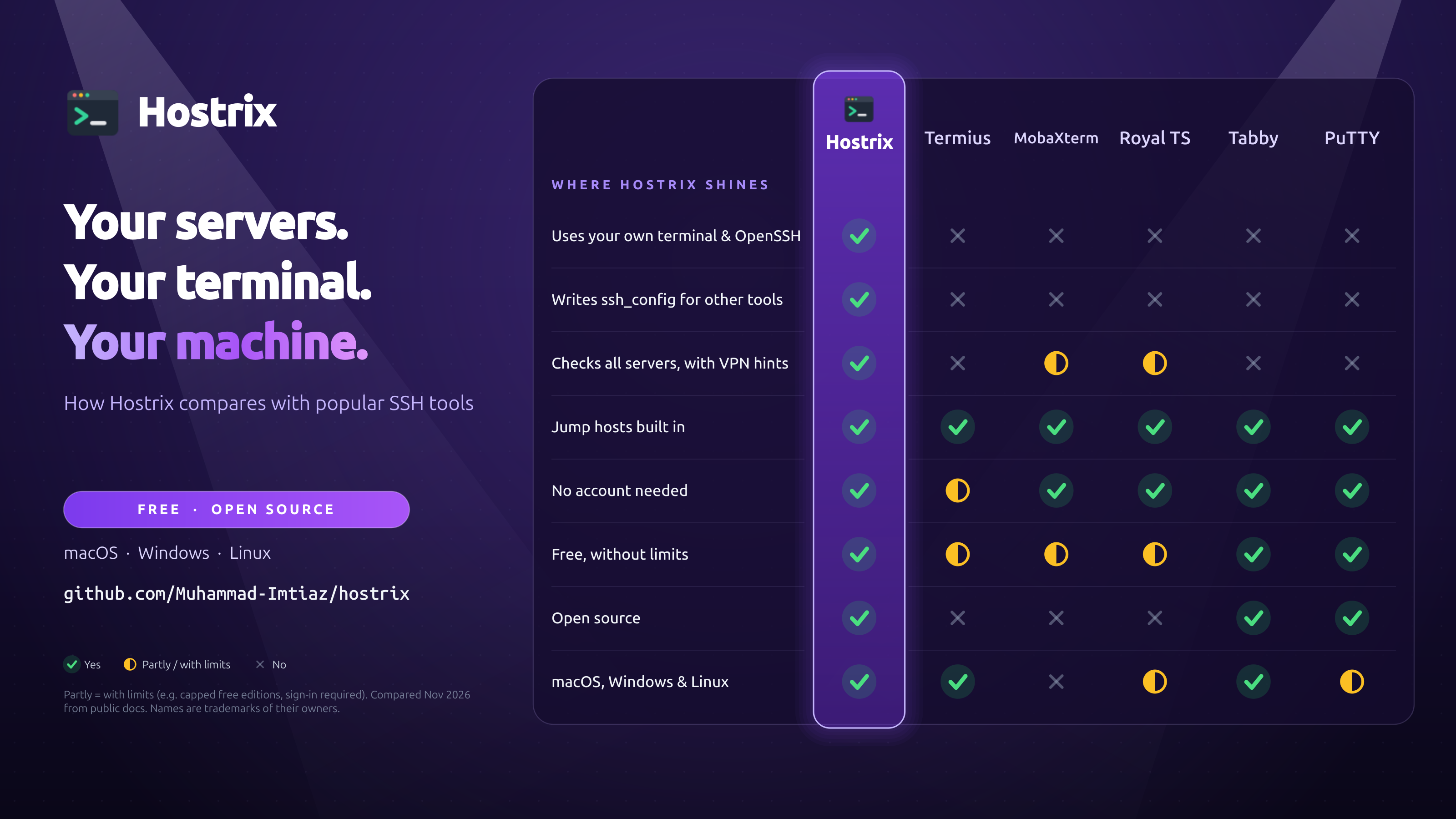
Your servers. Your terminal. Your machine. Most SSH tools want to replace your terminal. Hostrix doesn't. It organises your servers, shows what's reachable, and opens them in the terminal you already use, with the OpenSSH you already trust.
| Feature |  Hostrix |
Termius | MobaXterm | Royal TS | Tabby | PuTTY |
|---|---|---|---|---|---|---|
| Uses your own terminal & OpenSSH | ||||||
| Writes ssh_config for other tools | ||||||
| Checks all servers, with VPN hints | ||||||
| Jump hosts built in | ||||||
| No account needed | ||||||
| Free, without limits | ||||||
| Open source | ||||||
| macOS, Windows & Linux |
Partly = with limits, for example capped free editions or a sign-in prompt. Compared in November 2026 from each product's public documentation. Names are trademarks of their owners. Spotted something out of date? Let us know.
Hostrix is an alternative to…
If you use any of these to keep track of servers, Hostrix can take that job, while you keep the terminal you like.
SSH clients with saved hosts
Termius, PuTTY / KiTTY, SecureCRT, Bitvise SSH Client
All-in-one terminals
MobaXterm, Tabby, Electerm, WindTerm, Xshell
Connection managers
Royal TS / TSX, Remmina, Ásbrú Connection Manager, mRemoteNG, XPipe
The do-it-yourself setup
A hand-edited ~/.ssh/config, a spreadsheet or wiki page of IPs, shell aliases, and notes about which servers need the VPN.
Made for people who live in the terminal
DevOps & SRE
Dozens of servers across environments, bastions and VPNs. See them all, check them all, reach any of them in a click.
Backend & cloud engineers
Hop between staging and production boxes without hunting for IPs or copying long commands.
Sysadmins & homelabbers
One tidy list for every machine, shared with your team as a plain JSON file.
Comparison graphics
The same comparison, ready to share. Click to view full size, or download the original.
Try it alongside your current tool
Import your ~/.ssh/config and see your whole fleet in a minute. Nothing to sign up for.